JSON log viewer.
At full speed.
A hardware-accelerated JSONL viewer for the logs your services actually write. Open a multi-gigabyte .jsonl or .ndjson file and read every record as a row.
Unified pipeline, built for raw speed.
Off-the-shelf libraries, even the fastest ones, are fast independently, with compromises made to stay general-purpose. They also introduce bottlenecks when used together.
We built everything from the ground up, from maximizing read throughput on NVMe drives to GPU rendering. Each stage stitched to the next with no bottlenecks to keep everything fast, fluid, and responsive.
A .jsonl or .ndjson file is a stream of separate top-level values, which is why most parsers stop on line two. An NDJSON viewer has to read the whole stream and wrap the records in one root array, which is what happens here, so a log behaves like any JSON array.
1. Read
DMA I/O pulls the whole rotation off NVMe at full bandwidth
2. Parse
SIMD parser takes every line as its own top-level value
3. Index
Records wrapped in one root array, index ~1:1 to file size
4. Tree
Virtualized tree lays out only the records on screen
5. Render
WGPU draws two million records at native refresh rate
Reading a log shouldn't be an engineering project.
A multi-gigabyte rotation doesn't just slow your tools down. It puts you to work: recalling jq syntax, splitting files, waiting out streams that turn out to have matched the wrong key.
Line-delimited logs fight every tool you reach for.
Your editor gives up first. grep has no idea what a field is, so it matches the right word in the wrong key. jq keeps going, but every guess streams the whole file again, and a mistyped key returns nulls rather than an error.
None of that time went to your actual question.
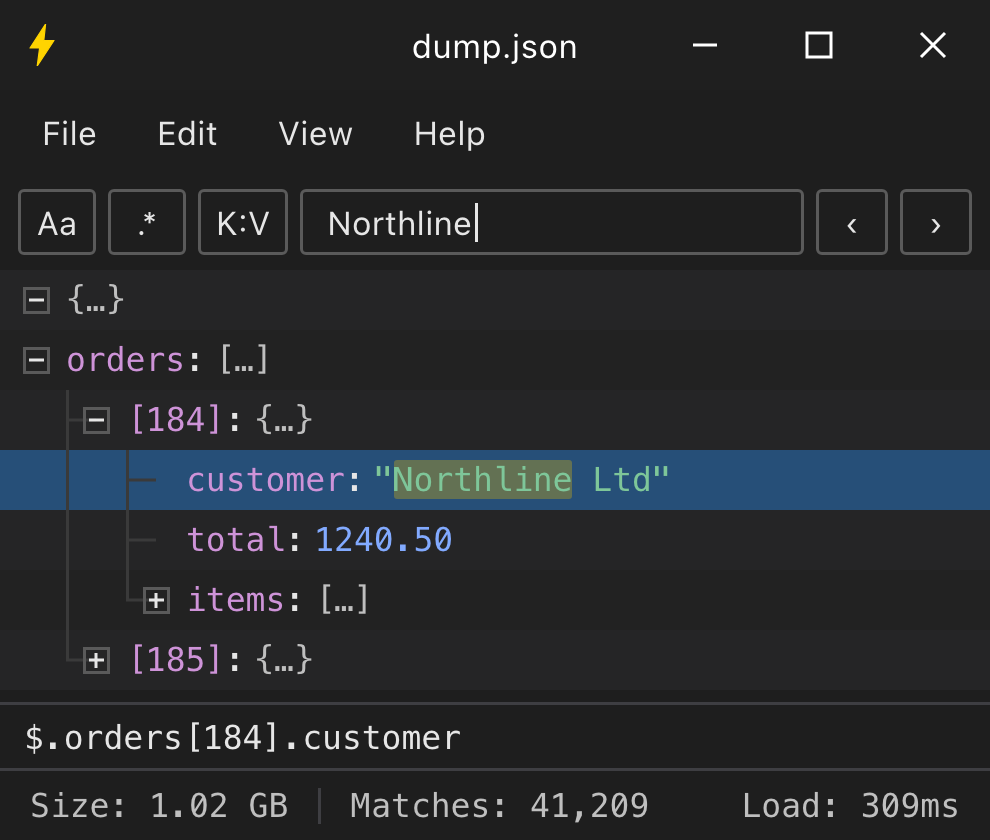
Just open the .jsonl file.
Every record becomes a row. Point it at a folder instead and every .json, .jsonl, and .ndjson inside opens in its own window.
Browse the full tree, search every key and value, click the subtree you need, and export it as JSON, JSONPath, CSV, YAML, or XML.
One window replaces multiple tools for exploration and discovery.
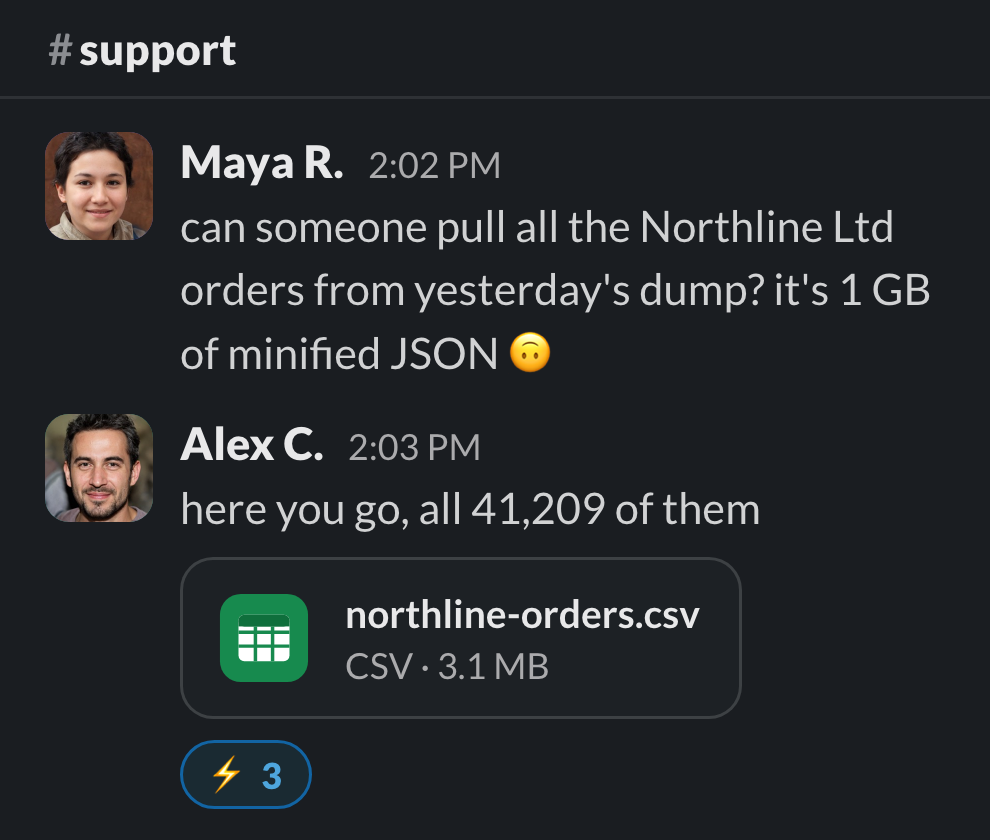
From start to answer in seconds.
Every question becomes look, click, done. Nothing to remember or babysit, no full re-run when a guess is wrong. Your attention stays on the problem instead of the plumbing.
Milliseconds to open and search. One click to export a day of errors as CSV.
Open a rotation.
Free to download · no account
What a JSON log viewer has to get right
A day of traffic is millions of records, and the tree treats that as ordinary. Custom UI and rendering keep it fluid on a 4K 240 Hz monitor with hundreds of records on screen. Scrolling, searching, and expanding never stutter, even with every record expanded.
No schema expected. Logging libraries rarely agree on field names, and nothing here needs them to: jsonbolt reads whatever keys each line actually carries, so ts or timestamp, msg or message, all of it just shows up as rows.
Nested context stays nested. The ctx object that collapses into an escaped string in your terminal is a real subtree here, one you can expand, select, and copy on its own.
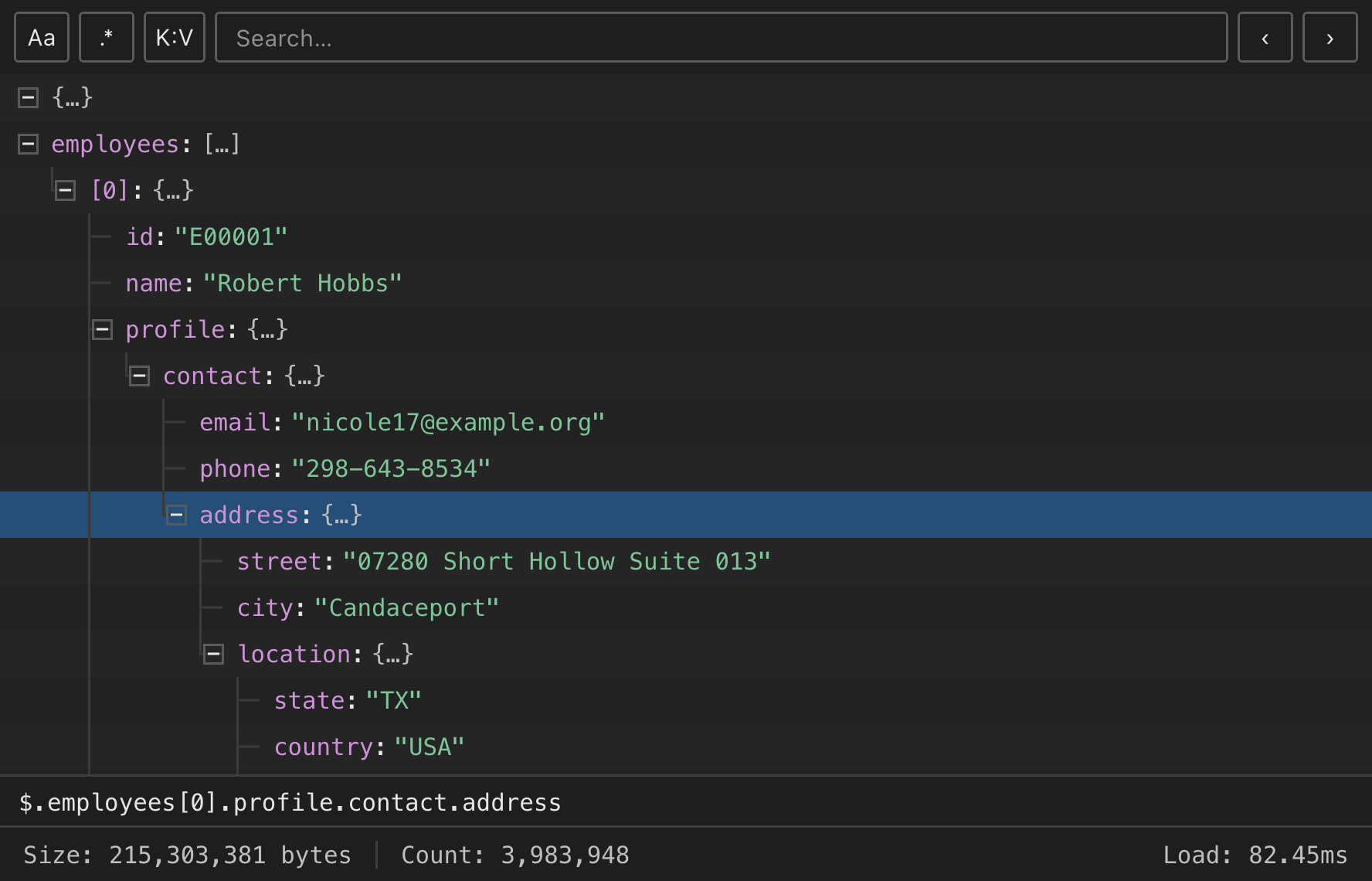
Record-aware features.
The viewer understands each record, not just the text of the line. Search by key and value, copy paths a script can reuse, and lift out exactly the records you need.
Key : Value search
Match key level against value error, not the word in a message body.
Regex search
(timeout|refused), ISO dates, trace IDs: full regex across keys and values.
Scriptable paths
Copy a record's path as .[8412].ctx.trace_id and paste it into jb get.
Copy as anything
A day of errors straight out as CSV, ready for a spreadsheet. Or JSON, XML, YAML.
Find as you type
Type a trace ID and land on it, across two million records, in milliseconds.
Expand modes
Open a rotation collapsed to one row per record, or fully expanded. Auto decides by size.
For your terminal, and your AI agents.
The same engine, as a CLI. It switches to newline-delimited parsing on its own for .jsonl and .ndjson, so predicates run straight against log records. Extract exact results without dumping the whole log into your prompt, script, or CI job.
.jsonl and .ndjson switch to record-per-line parsing automaticallyjb get and jb extract pull exact values by path--ai gives bounded JSONL envelopes for agentsEverything else you need at 3am.
There is more to a viewer than the tree. Small things, done fast, everywhere.
Global hotkey
Copy a few log lines out of a terminal, press it, and they open as records.
CLI included
Every install bundles the jb binary, which auto-detects .jsonl and .ndjson.
Side-by-side windows
Yesterday's rotation beside today's, one shortcut away.
Load from URL
Pull a log straight off an endpoint; Basic, Bearer, or API-key auth saved per origin.
Paste from clipboard
Pasted a stack trace out of a chat thread? Drop it in, no file needed.
Keyboard-first
Next match, previous match, expand, copy path. Hands never leave the board.
Themes
Light, dark, or follow the OS, with row colors you can tune yourself.
One-key refresh
The log grew while you were reading it? Reload it in place.
Questions about JSONL, NDJSON and file sizes.
Anything else? hi@jsonbolt.com
How do I open a .jsonl file?
Drag it onto the window, or press Ctrl + O⌘ O and pick it. A JSONL file holds a separate top-level value on every line, which is why a strict JSON parser stops on line two. jsonbolt reads the whole stream and wraps the records in a root array, so it opens as an ordinary JSON array with one record per row.
What is the difference between JSONL and NDJSON?
Nothing that matters in practice. Both mean one complete JSON value per line, separated by newlines. JSON Lines and Newline Delimited JSON are two names and two file extensions for the same format, and jsonbolt treats them identically.
Can it open a .log file?
Yes, by drag and drop, as long as the lines are JSON. Parsing follows the contents rather than the extension. The Open dialog filters to .json, .ndjson and .jsonl, so a .log file will not show up in the picker. Drop it on the window instead.
How large a JSONL file can it open?
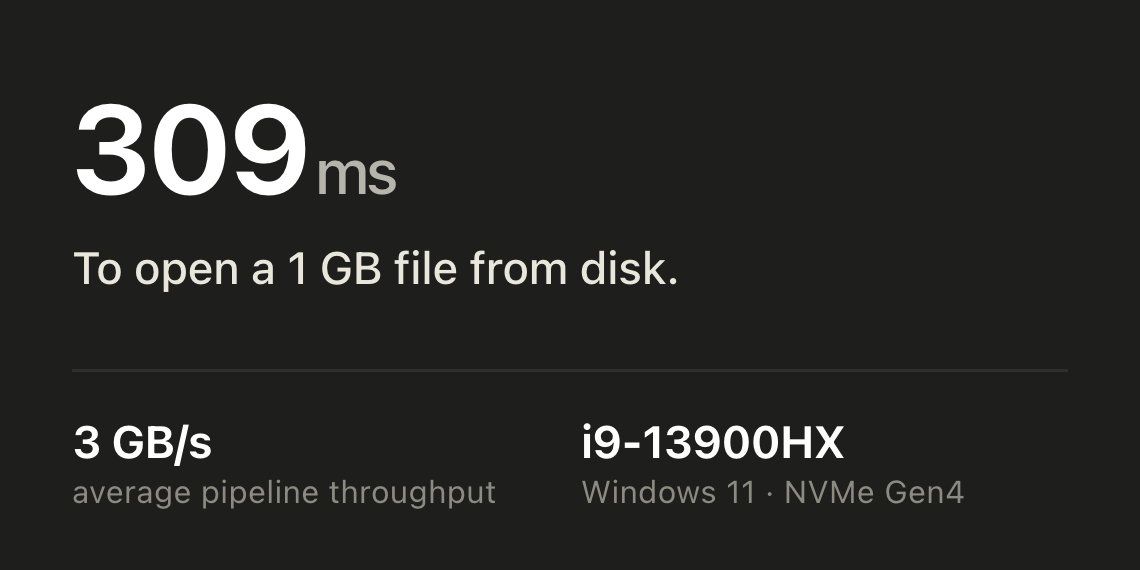
There is no built-in limit. On the benchmark machine a 1 GB file reaches a browsable tree in 309 ms, and a search across every match finishes in 210 ms. Peak memory lands near the file size, 1.04 GB for that 1 GB file, so free RAM is the practical ceiling rather than any cap in the app. The benchmarks page has the 50 MB, 200 MB and 1 GB runs side by side with the tools they were measured against.
Does it tail a live log?
No. It opens a snapshot of the file as you loaded it, and F5⌘ R reloads it in place once the log has grown. Keep tail running in a terminal for the live stream, and reach for jsonbolt when you need to read a chunk properly.
Do my logs get uploaded anywhere?
No. The desktop app reads the file straight off your disk. There is no account, no agent and no ingest endpoint, so logs carrying customer data, tokens or internal hostnames stay where they are.
Does it work with Docker, Kubernetes or my logging library?
If the output is one JSON object per line, yes. That covers docker logs and kubectl logs from a container logging in JSON, and the JSON encoders in zap, logrus, Serilog, Winston and structlog. Field names differ between them, and jsonbolt reads whatever keys are present rather than expecting a fixed schema.
Stop grepping structured logs.
Free to download · no account. Your production logs never leave the disk they are already on.
Available builds
Install guides, requirements and checksums: macOS · Windows · all platforms