JSON exploration.
At full speed.
A hardware-accelerated JSON viewer, built for people who dig through folders full of huge payloads, logs, and data dumps every day.
Unified pipeline, built for raw speed.
Off-the-shelf libraries, even the fastest ones, are fast independently, with compromises made to stay general-purpose. They also introduce bottlenecks when used together.
We built everything from the ground up, from maximizing read throughput on NVMe drives to GPU rendering. Each stage stitched to the next with no bottlenecks to keep everything fast, fluid, and responsive.
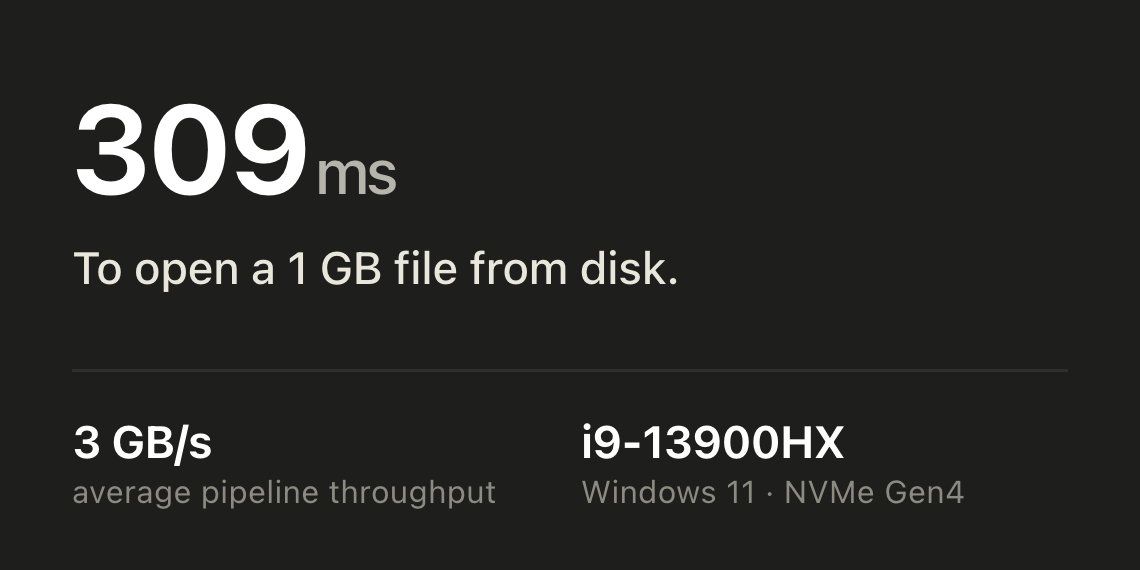
1. Read
DMA I/O saturates NVMe SSD bandwidth
2. Parse
SIMD parser pushes bytes through wide vector lanes
3. Index
Compact structural index, ~1:1 RAM to file size
4. Tree
Virtualized tree lays out only the visible rows
5. Render
WGPU pipeline draws at native refresh rate
Exploring JSON shouldn't be an engineering project.
Huge JSON files and folders don't just slow your tools down. They put you to work: recalling jq syntax, splitting files, writing scripts, waiting out runs that turn out to be wrong.
The workflow slows you down more than the tools do.
Your editor gives up first. jq keeps going, but now you're recalling syntax, quoting filters, and streaming the whole file to discover the path was wrong. Past a few hundred megabytes you're splitting files and chaining tools just to get around limits.
None of that time went to your actual question.
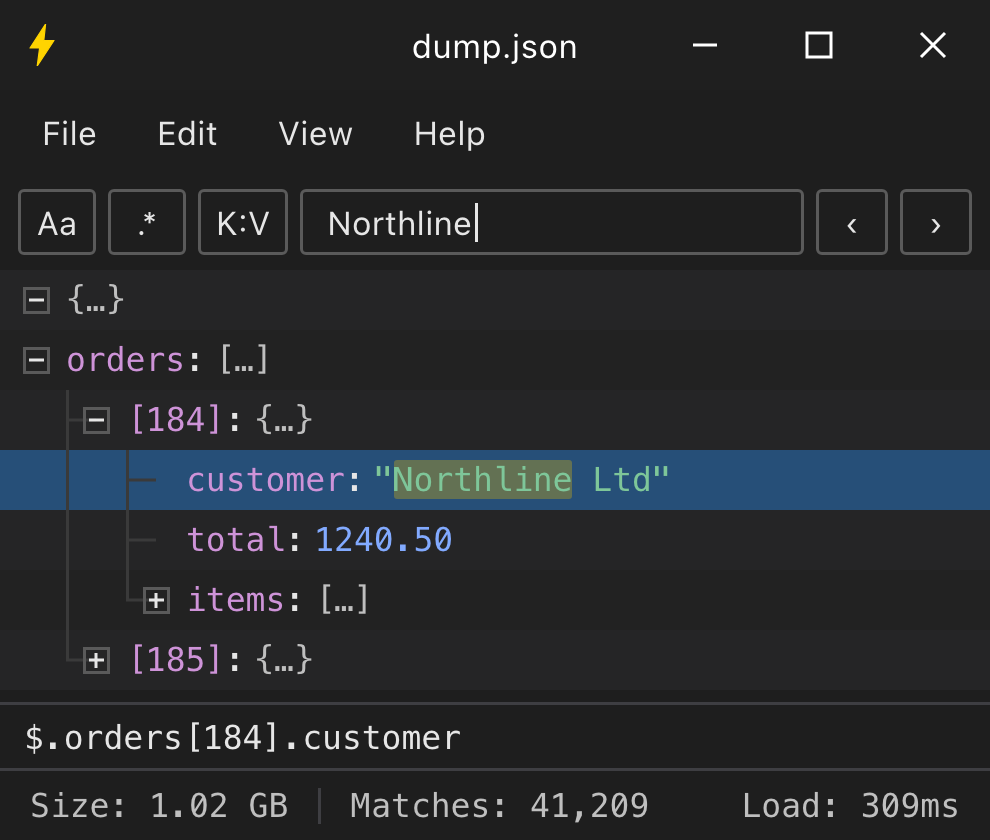
Just open the file or folder.
Or press the global hotkey to launch jsonbolt with the clipboard contents already loaded.
Browse the full tree, search every key and value, click the subtree you need, and export it as JSON, JSONPath, CSV, YAML, or XML.
One window replaces multiple tools for exploration and discovery.
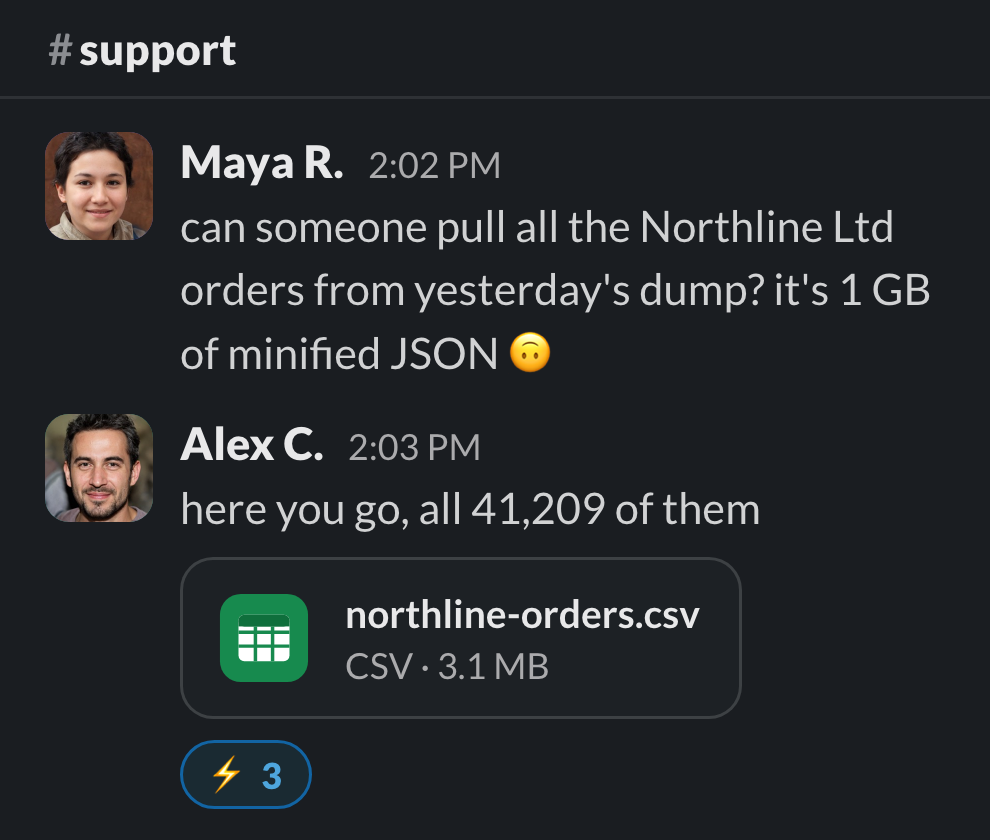
From start to answer in seconds.
Every question becomes look, click, done. Nothing to remember or babysit, no full re-run when a guess is wrong. Your attention stays on the problem instead of the plumbing.
Milliseconds to open and search. One click to export.
Give it a try.
Free to download · no account
Purpose built UX for JSON exploration
Not your typical JSON tree. Custom UI and rendering keep it fluid on a 4K 240 Hz monitor with hundreds of rows on screen, even in files with millions of objects. Scrolling, searching, and expanding never stutter, even with all nodes expanded.
Built for keyboard-driven exploration. Copy JSON in any app, press the global hotkey Win + J⌃ ⌥ J, and jsonbolt launches with your clipboard already loaded. From there, search, collapse or expand rows, move through the structure, and copy values, paths, or whole subtrees without reaching for the mouse.
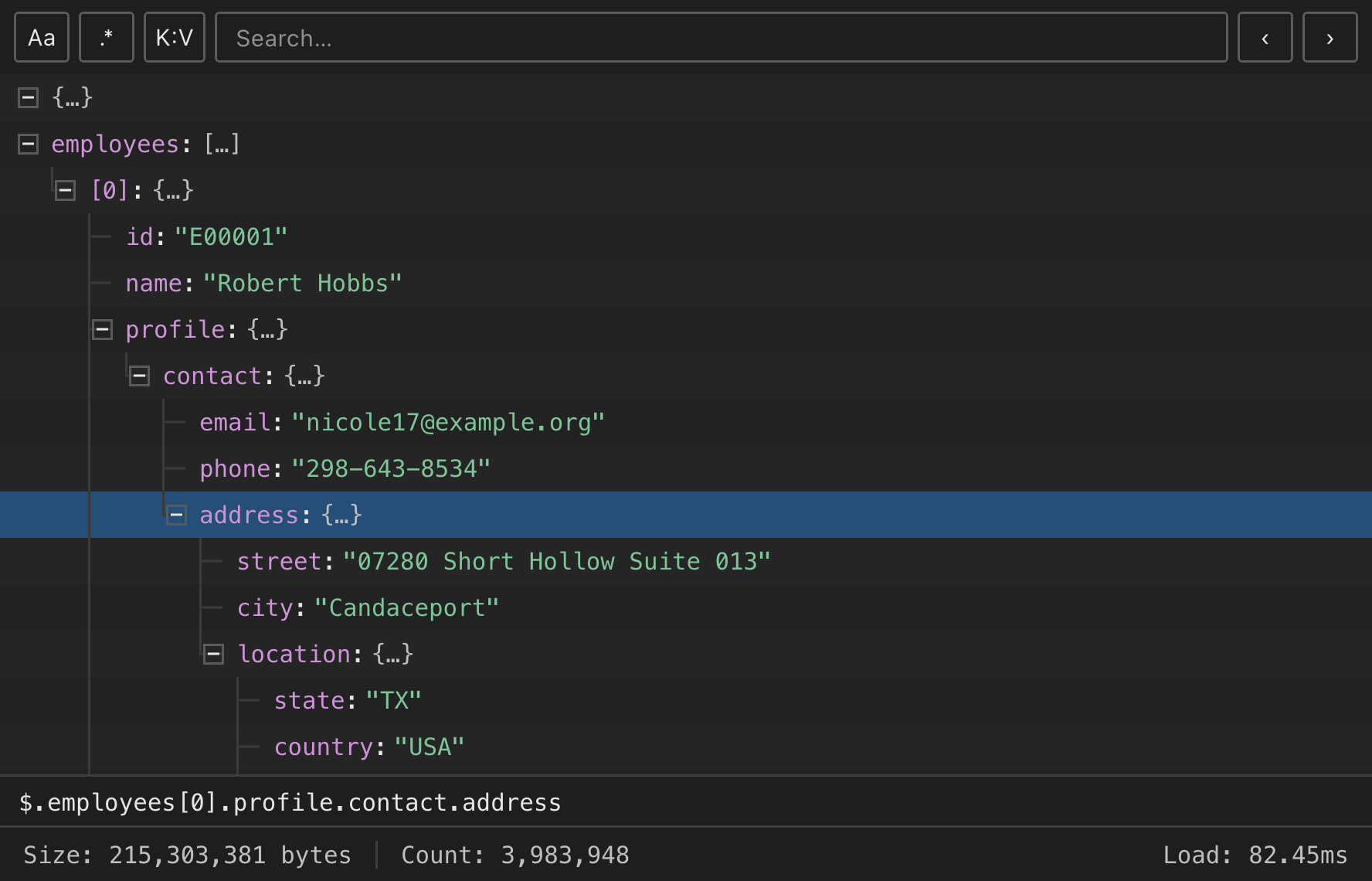
JSON-aware features.
The viewer understands the document, not just the text. Search by key and value, copy paths a script can reuse, and lift out exactly the part you need.
Key : Value search
Find every email whose value contains @domain.
Regex search
^email$, ISO dates, (error|warn): full regex across keys and values.
Scriptable paths
Copy any node's jq-style path and paste it straight into jb get.
Copy as anything
Any subtree as minified or formatted JSON, XML, CSV, or YAML, to clipboard or file.
Find as you type
Search millions of nodes in milliseconds with SIMD search.
Expand modes
Fresh files open fully expanded, root-only, or Auto decides by size.
For your terminal, and your AI agents.
The same engine, as a CLI. Inspect huge files, search by key, value, JSONPath, or type, and extract exact results without dumping the whole document into your prompt, script, or CI log. Purpose-built for JSON, so agents use fewer tokens and run faster.
jb schema and jb paths reveal structure, no value bloatjb get and jb extract pull exact values by path--ai gives bounded JSONL envelopes for agentsExplore with rich features.
There is more to a viewer than the tree. Small things, done fast, everywhere.
Global hotkey
One keypress in any app sends your clipboard JSON straight into jsonbolt.
CLI included
Every install bundles the jb binary, the same engine for scripts and AI.
Side-by-side windows
A second window, one shortcut away, to compare two dumps.
Load from URL
Fetch any endpoint; Basic, Bearer, or API-key auth saved per origin.
Paste from clipboard
Copied JSON from a browser, terminal, or API client? Paste it in, no file needed.
Keyboard-first
Every action has a key. Hands never leave the board.
Themes
Light, dark, or follow the OS, with tree row colors you can tune.
One-key refresh
The file or URL changed underneath you? Reload it in place.
Leave slow tools and workflows behind.
Free to download · no account. Your prod dumps and API keys never leave the disk.